
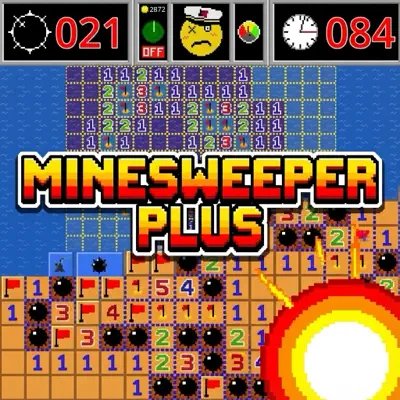
Minesweeper Plus
Dotty Game Blue White Flag Series games








People who have played Dotty Game Blue White Flag also like









What Is Minesweeper Plus?
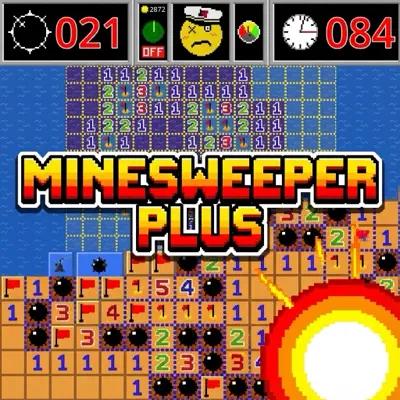
Minesweeper Plus is an enhanced minesweeper game developed by Jorel Simpson that adds innovative features to the classic formula. The game features a health system that allows you to survive mine hits, a sonar radar tool for mine detection, an adventure mode with boss battles across chapters (Kiddie Pool, Storm Gate, Dead Sea), and the ability to switch between modern and classic gameplay modes. With pixel art graphics, original music, and cinematic boss encounters, Minesweeper Plus offers a fresh take on the classic puzzle game.
How Do I Play Minesweeper Plus?
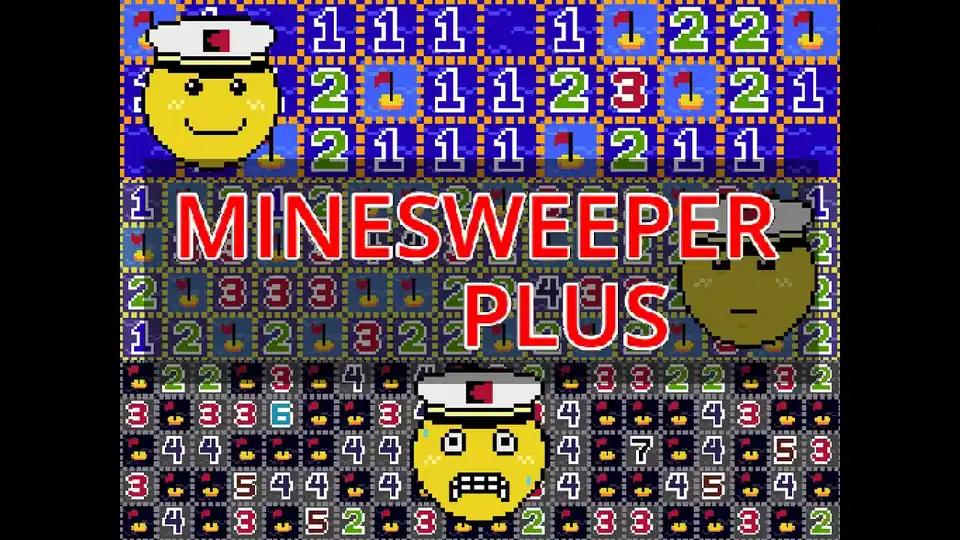
Game Objective
- Your goal in Minesweeper Plus is to clear all safe tiles on the grid while avoiding hidden mines
- Unlike classic minesweeper, you have health points that allow you to survive mine hits
- Use number clues to determine mine locations, and flag suspected mines
- In adventure mode, you'll face boss battles with timer pressure and special challenges
Basic Controls
- Left-click (or tap on mobile) to reveal a tile in Minesweeper Plus
- Numbers show how many mines are adjacent to that tile
- Right-click (or long-press on mobile) to place or remove a flag
- Click a numbered tile with the correct number of flags around it to chord and instantly clear surrounding safe tiles
- The first click is always safe
Health and Sonar System
- Minesweeper Plus features a health system - you can survive mine hits instead of instantly losing
- Earn gold by revealing safe tiles, then spend it on sonar pulses that can detect mines and help solve 50/50 guess situations
- Use health strategically when time is running out or when you need to take calculated risks
Adventure Mode and Boss Battles
- Adventure mode in Minesweeper Plus takes you through chapters like Kiddie Pool, Storm Gate, and Dead Sea
- Boss battles add intense pressure with timers, UI shakes, and kraken swipes
- The Captain provides voice-over commentary and briefings
- Prepare by keeping corners clean and saving sonar for critical moments
Key Features & Mechanics of Minesweeper Plus
Health System
Unlike classic minesweeper, Minesweeper Plus gives you health points that allow you to survive mine hits. This adds strategic depth - you can take calculated risks when time is running out or when you're stuck in a difficult situation.
Sonar Radar Tool
Earn gold by revealing safe tiles in Minesweeper Plus, then spend it on sonar pulses that detect mines. Sonar is especially useful for solving 50/50 guess situations where logic can't determine the mine location. Use it strategically to avoid losing health.
Adventure Mode with Boss Battles
Experience a story-driven adventure in Minesweeper Plus across chapters (Kiddie Pool, Storm Gate, Dead Sea) with the Captain providing voice-over commentary. Boss battles add intense pressure with timers, UI shakes, and special challenges that test your skills under pressure.
Modern and Classic Mode Switching
Switch between modern gameplay with health, sonar, and adventure features, or play in classic mode for the traditional minesweeper experience. The game remembers your preferences and syncs progress across devices.
Pixel Art and Original Music
Enjoy beautiful pixel art graphics and original music that enhance the gaming experience. The visual style creates an immersive atmosphere while maintaining the classic minesweeper feel.
Minesweeper Plus Official Video Guides
Minesweeper Plus: Introduction & Gameplay
Watch this official video to learn about Minesweeper Plus gameplay, features including the health system and sonar radar, and how to get started with this enhanced minesweeper experience.
Minesweeper Plus: Advanced Features & Boss Battles
Discover advanced features, adventure mode, and boss battle mechanics in this detailed guide. Learn how to use health strategically and master the sonar system for challenging levels.
Instant Play—No Download Required
Enjoy Minesweeper Plus directly in your browser on desktop devices. The web version at Blue White Flag requires no installation or registration—simply click and begin playing. Note that the web version currently only runs on desktop browsers. For mobile devices, download the touch-friendly Android version from itch.io. Perfect for quick gaming sessions or extended play.
Recommended Games
Minesweeper Classic is recommended for players who want the traditional minesweeper experience. If you enjoy the logic and strategy of Minesweeper Plus but prefer the classic gameplay without health and sonar features, Minesweeper Classic offers the pure puzzle experience on Blue White Flag.
Why Play Minesweeper Plus?
Boost Cognitive Skills
Solving complex puzzles in Minesweeper Plus enhances logic, memory, and critical thinking. It’s a fun way to train your brain and develop problem-solving abilities.
Stress-Free Relieving Fun
The intuitive gameplay and pleasing visuals of Minesweeper Plus offer a relaxing break from everyday stress while keeping your mind engaged.
Challenge Yourself
With multiple difficulty levels and adventure mode challenges, Minesweeper Plus is perfect for players looking to test and improve their skills.
Instant Access Anytime
Play Minesweeper Plus instantly on any device without the need to download or install—perfect for on-the-go gaming.
Frequently Asked Questions About Minesweeper Plus
Minesweeper Plus adds a health system that lets you survive mine hits, a sonar radar tool for mine detection, an adventure mode with boss battles, and the ability to switch between modern and classic gameplay. It features pixel art graphics, original music, and story-driven chapters with the Captain providing voice commentary.
On mobile devices, long-press a tile to place or remove a flag in Minesweeper Plus. The touch-friendly interface supports both tap to reveal and long-press to flag gestures. Note that the web version currently only runs on desktop browsers - mobile users should download the Android version from itch.io.
The web version at minesweeperplus.org and game.minesweeperplus.org currently only runs on desktop browsers. For mobile devices (phones and tablets), you need to download the touch-friendly Android version from Jorel Simpson's itch.io page at https://jorel-simpson.itch.io/minesweeper-plus.
Unlike classic minesweeper where hitting a mine ends the game, Minesweeper Plus gives you health points. When you hit a mine, you lose health instead of instantly losing. This allows you to take calculated risks and survive mistakes, especially useful during boss battles when time pressure forces quick decisions.
Earn gold by revealing safe tiles during Minesweeper Plus gameplay. Spend this gold to purchase sonar pulses that can detect mines in surrounding tiles. Sonar is particularly valuable for solving 50/50 guess situations where logic cannot determine the mine location. Use it strategically to avoid losing health.
Gold is earned and spent within individual game sessions. It's designed as an in-game economy for purchasing sonar during that specific game. Progress, achievements, and unlocked cosmetics (like the Captain hat) are saved separately through the game's account system.
Cosmetics like the Captain hat are unlocked through gameplay achievements and medals earned by completing challenges. The game tracks your progress and rewards you with cosmetic items that can be purchased with earned medals. Check your profile or achievements section to see available unlocks.
Boss battles are designed to be intense and challenging, with timers, UI shakes, and special mechanics. Some players find certain regular levels (like level 7 and 8) more difficult than boss battles. Practice in classic mode first, save sonar for critical moments, and use health strategically during boss encounters.
Yes, Minesweeper Plus is free to play. The web version at Blue White Flag requires no download or payment. The Android version on itch.io is also available as a free download (though donations are appreciated to support the developer Jorel Simpson).
Click the smiley face button in the top corner of the Minesweeper Plus interface to access the menu. From there, you can switch between modern mode (with health, sonar, and adventure features) and classic mode (traditional minesweeper gameplay).
Minesweeper Plus uses a lightweight account system that syncs your progress, achievements, cosmetics, and game seeds across devices. As long as you're logged in, your commander perks, cosmetics, and progress will sync wherever you play.
Adventure mode in Minesweeper Plus currently includes chapters like Kiddie Pool, Storm Gate, and Dead Sea. Each chapter features unique challenges, boss battles, and story elements with the Captain providing voice-over commentary. The developer is working on additional chapters based on community feedback.
You can contact the developer Jorel Simpson through the itch.io page comments section at https://jorel-simpson.itch.io/minesweeper-plus, or reach out via Discord (username: Jorel Slumgullion). The developer actively responds to player feedback and bug reports.
Minesweeper Plus is available for Windows, macOS, Linux, and Android. The web version runs on desktop browsers (Chrome, Firefox, Edge, Safari). Mobile users should download the Android version from itch.io for the best touch-friendly experience.
Yes, Minesweeper Plus is accessible to beginners. The health system provides a safety net for mistakes, and you can start with easier difficulty levels. The adventure mode gradually introduces more complex challenges, making it a great way to learn while enjoying the story and boss battles.
Pro Tips & Tricks for Minesweeper Plus
Beginner Tactics
Start by clicking corners and edges in Minesweeper Plus - the first click is always safe. Learn classic patterns like 1-2-1 or 1-2-2-1 which always behave the same way. Use the health system as a backup - don't be afraid to take calculated risks when stuck.
Don't guess unless necessary. Pay attention to number patterns. The health system gives you room for mistakes.
Sonar and Gold Management
Earn gold by revealing safe tiles, then save it for critical moments. Use sonar to solve 50/50 guess situations where logic can't help. Don't waste sonar on obvious situations - save it for boss battles and difficult puzzles.
Save at least one sonar ping for boss battles. Use health strategically when sonar is empty.
Boss Battle Strategies
Prepare for bosses by keeping corners clean and maintaining a clear path. Save sonar for the final reveals during intense boss encounters. Stay calm under timer pressure - the health system allows calculated risks. Keep your cursor away from animated hazards during boss fights.
Boss battles are intense but manageable with proper preparation. Use chording (clicking numbered tiles with correct flags) for faster clearing.
Flagging Efficiency
Only flag tiles you need for chording - decorative flags slow you down. Flag with purpose to enable instant clears. In modern mode, you don't need to flag every mine to win, just clear all safe spaces.
Skip unnecessary flags to speed up gameplay. Chord when you trust your flag placement.