

Snow Rider 3D
Dotty Game Blue White Flag Series games








People who have played Dotty Game Blue White Flag also like
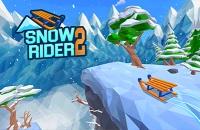









What Is Snow Rider 3D?
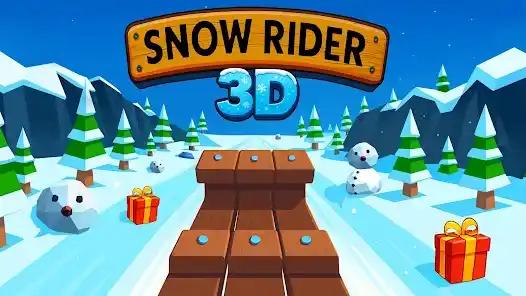
Snow Rider 3D is a WebGL sledding endless runner. You guide a sleigh down a snowy hill, steering around trees, rocks, fences, and snowmen while grabbing gift boxes that boost your score and unlock new sled skins. Runs speed up the farther you go, so each attempt tests your reflexes. Everything plays in the browser—no install needed.
How Do I Play Snow Rider 3D?
Getting Started
- Press 'Start' to launch the run
- Use keyboard arrow keys (on PC) or on-screen swipe controls (on mobile devices) to steer your sleigh
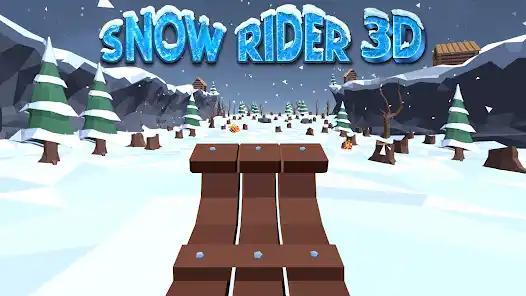
- On your first run, focus on learning the basic left and right movement as you descend the slope
- Smooth, early inputs keep you upright, which is how Snow Rider 3D stays approachable
Navigating Obstacles
- Dodge trees, rocks, and snowmen by steering left or right
- Colliding with any obstacle ends your run, so look ahead and adjust early to stay on the hill in Snow Rider 3D
Collecting Presents and Progression
- Grab presents on the slope to boost your score
- Accumulated gifts unlock sled skins; they do not change speed or handling
- Keep a clean line to stay alive as the hill speeds up, since Snow Rider 3D ties progression to clean runs
Key Features of Snow Rider 3D
Pick-up-and-play runner
Simple left/right steering and clean visuals let you jump in fast, whether you want a quick ride or a long chase for distance. Inputs stay readable for both new and returning players in Snow Rider 3D.
Unlockable sled skins
Gift boxes gathered on runs unlock new sleigh looks so you can personalize your ride without affecting handling. Cosmetics come from steady play, not paywalls, keeping Snow Rider 3D fair.
Rising speed curve
Runs start calm and gradually accelerate, forcing quicker reads of trees, rocks, ramps, and fences. Pressure rises smoothly while the hill stays readable, which defines Snow Rider 3D pacing.
Smooth 3D slope
WebGL rendering delivers a clear snowy hillside with ramps and gifts placed along readable lines. The scene stays uncluttered to highlight obstacles in Snow Rider 3D.
Snow Rider 3D Gameplay and Guides
Snow Rider 3D Gameplay Showcase
Community capture of a full run highlighting obstacle reads, timing, and gift routes to extend distance in Snow Rider 3D.
High Score Run Breakdown
A high-speed ride showing when to stay centered versus commit to a side line at top speed for Snow Rider 3D.
Unlocking All Sled Skins
Walkthrough of present routes and how many gifts each skin needs across multiple runs in Snow Rider 3D.
Beginner Control Tips
Short guide for new players on tap steering, braking risk, and spotting safe lanes early in Snow Rider 3D.
Play Snow Rider 3D Instantly Online—No Download
Click play and ride—Snow Rider 3D runs in your browser with no installation. Keyboard controls on desktop and swipe or tap on mobile builds keep the game quick to pick up anywhere you have a connection. The build stays lightweight so you can jump in fast.
Why Play Snow Rider 3D?
Addictive Arcade Action
Snow Rider 3D delivers endless-runner gameplay that challenges you every run. Simple yet dynamic mechanics drive replay value and steady improvement.
Universal Accessibility
With no downloads required, Snow Rider 3D is accessible on modern browsers. Enjoy quick sessions anytime at home, school, or on the go.
Customizable Sleighs
Collect presents to unlock new sleigh designs, adding a layer of achievement and motivation to the experience.
Competitive Spirit
Invite friends to challenge your high score, share achievements, and aim for leaderboard glory for a social and competitive edge.
Snow Rider 3D Frequently Asked Questions
It is an endless downhill sled runner. You steer a sleigh, avoid obstacles, and collect presents to push your score farther each run. The focus is on quick reactions over complex upgrades, keeping Snow Rider 3D simple to pick up.
On PC, tap the left/right arrow keys (or A/D) for quick nudges; holding a key will drift wider. On mobile builds, swipe left or right with short, light gestures to stay centered. Light taps work better than heavy holds once speed rises in Snow Rider 3D.
Keep collecting presents. Each skin unlocks after you gather enough gifts across runs. Skins are cosmetic only. Progress is stored locally when available; clearing browser data or changing devices can reset it, which is standard for Snow Rider 3D.
Speed ramps up the farther you ride. Stay near the center to react both ways and avoid oversteering when the slope gets quick. Spacing tightens to keep pressure on your reads, which is core to Snow Rider 3D.
Unlocks and high scores save to the browser when supported. Clearing cache, switching devices, or using incognito can reset them. Cloud syncing is not included, so Snow Rider 3D relies on local storage.
If the page is blocked, try another network or device. The game needs WebGL enabled to load and requires scripts to run on the host domain for Snow Rider 3D to start.
Close extra tabs, lower browser resolution or zoom, and disable heavy extensions that may interrupt WebGL. Reload the page after changes and keep the play tab focused to smooth Snow Rider 3D.
Yes. The web version is free to play; some hosts may show ads. No purchases are required to unlock sleds.
Pro Tips & Tricks
High Score Maximization
Scan several tiles ahead and plan lines that keep you out of tree clusters. Small, early taps beat big late turns once speed climbs.
Hover near center so you can juke both ways without overcorrecting.
Present Collection
Favor safe chains of gifts over single risky boxes. Skip presents that sit behind dense obstacles when speed is high.
Shift early toward lanes with multiple boxes instead of chasing last-second grabs.
Adapt to Speed Changes
At higher speeds, tap instead of holding keys to avoid drifting into hazards. Read upcoming gaps before committing to a side.
Ease off inputs sooner once the slope accelerates.
Device Optimization
On mobile, use short swipes; on desktop, light key taps register faster than long holds. Close other tabs if WebGL lags.
Reload after turning off heavy extensions to smooth frame rate.